
Is ChatGPT free for Canadian students?
ChatGPT is free to use in Canada, and the free plan includes more than most students realize. As of July 2026, Study Mode is available on Free, Plus, Pro, and Team plans, meaning you do not need to pay anything to access its core learning features. The free tier caps messages to limit usage during peak times, allowing for focused study sessions but potentially feeling restrictive during heavy use periods like finals week.
For students who want more, eligible Canadian college and university students can access free months of ChatGPT Plus through SheerID with verified enrollment. K–12 educators in Canada have confirmed free access through June 2027. ChatGPT Plus costs $20 per month otherwise, and the main benefit for students is effectively unlimited messages, not a smarter model.
Here is what Canadian students should know before starting:
- ChatGPT is a study partner, not a ghostwriter. OpenAI designed it to guide your thinking, not replace it.
- Canadian universities require disclosure. Institutions including the University of Toronto, UBC, McGill, and the University of Waterloo mandate that students cite AI assistance and prohibit submitting AI-generated work as their own.
- Study Mode changes how the tool behaves. When activated, it uses Socratic questioning and scaffolded hints rather than handing you direct answers.
- Privacy matters. Conversations may be stored and used for training, so never share personal data, confidential research, or proprietary course materials.
Six practical ways to use ChatGPT for studying
1. Activate Study Mode for guided learning
Study Mode turns ChatGPT from an answer machine into a Socratic tutor. Instead of giving you the solution, it asks guiding questions, breaks concepts into sections, and uses hints to push your thinking forward. You activate it by selecting "Study and learn" from the tools menu in any chat. From there, you can choose "Help me with my homework," "Explain a topic to me," or "Create a practice quiz." The mode also tracks progress and adjusts to your skill level based on previous sessions.
2. Build a personalized study schedule
Paste your actual exam dates and available hours into ChatGPT and ask it to generate a week-by-week plan. A prompt like "I have Biology on March 15th and Statistics on March 18th, with two hours free each weekday" produces a concrete, day-by-day schedule rather than generic advice. Sheridan College's prompt-writing guide recommends assigning ChatGPT a role such as "academic coach specializing in time management" to sharpen the output.

3. Use the three-loop study method
Reading an explanation until it feels easy is not learning. The three-loop method works like this: first, paste the textbook paragraph and ask ChatGPT to explain it at your level with an analogy. Second, ask for five questions ordered from easy to hard, and answer them on paper before seeing the answers. Third, build flashcards only from the questions you got wrong, formatted as a CSV you can import into Anki. This sequence forces retrieval at every step.
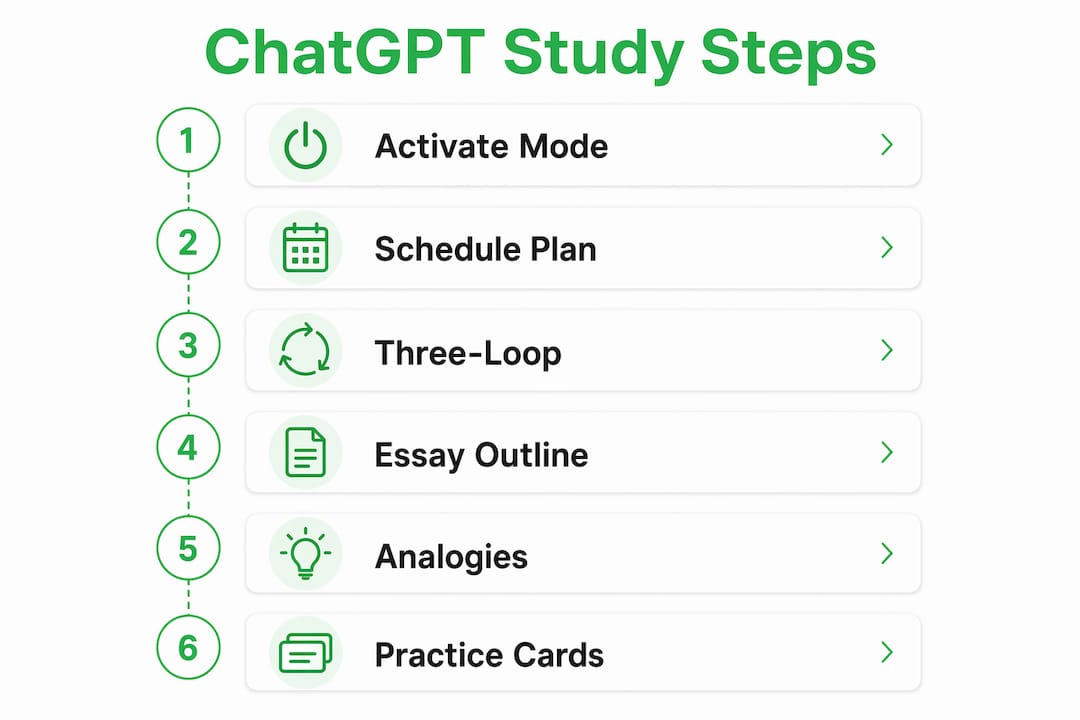
4. Brainstorm and outline essays
Give ChatGPT your assignment parameters and ask for an outline with main sections and suggested source types for each. A prompt like "Help me outline a 10-page paper on social media and teenage mental health with seven sections and three to four key points each" produces a usable skeleton in seconds. You still write the argument; ChatGPT handles the structural scaffolding so you spend your time on ideas, not formatting.
5. Clarify complex concepts with analogies
When a textbook explanation leaves you stuck, ask ChatGPT to explain the concept using a relatable analogy and a step-by-step breakdown. Sheridan College's guide specifically recommends this framing for first-year students tackling unfamiliar material. The key is to then close the chat and write the explanation in your own words. If you can do that, you actually understand it.
6. Generate practice questions and flashcards
Upload your course notes or paste key terms and ask ChatGPT to generate a quiz that escalates from recall to application. Active recall consistently produces better long-term retention than rereading the same material. Ask for answers separately so you are forced to retrieve before checking. For vocabulary-heavy subjects like anatomy or a second language, bulk-generate flashcard sets and run them through Anki's spaced-repetition scheduler.
How to use ChatGPT ethically and protect your academic integrity
Academic integrity is not optional, and Canadian universities are specific about what AI use looks like in practice.
- Disclose AI assistance. UofT, UBC, McGill, and Waterloo all require students to cite ChatGPT when it contributes to submitted work. Check your course syllabus for the exact format your instructor expects.
- Never submit AI-generated text as your own. Doing so violates academic integrity policies at virtually every Canadian post-secondary institution and can result in a failing grade or academic suspension.
- Avoid over-reliance. Using ChatGPT to generate answers you never engage with weakens your analytical skills over time. Treat every response as a starting point, not a conclusion.
- Verify everything. ChatGPT can confidently state incorrect facts and fabricate citations. Cross-check any statistic, equation, or source against your textbook or a library database before including it in your work.
- Keep sensitive information out of the chat. Treat ChatGPT like a public forum. Do not paste unpublished research, personal health data, or proprietary course materials.
- Use it to enhance thinking, not replace it. The most defensible use of ChatGPT is asking it to quiz you, explain a concept, or critique your draft. The least defensible is asking it to write the draft.
How to write ChatGPT study prompts that actually work
Vague prompts produce vague answers. The difference between a useful response and a generic one usually comes down to three things: context, role, and output format.
- Assign a role. Start with "Act as a subject tutor for first-year university students" or "Act as a learning strategist." This shifts the model's tone and depth immediately.
- Add context. Specify your course level, the topic, and what you already understand. "I'm a second-year biology student who understands cell division but struggles with meiosis" gets you a targeted explanation, not a textbook summary.
- Specify the output. Ask for a numbered list, a table, a quiz with five questions, or a CSV of flashcards. Leaving the format open invites a wall of text.
- Iterate. If the first response is too simple or too advanced, say so. Ask for a more technical explanation, or ask it to use a different analogy. Prompting is a conversation, not a one-shot transaction.
- Avoid vague openers. "Tell me about photosynthesis" produces a Wikipedia summary. "Quiz me on the light-dependent reactions of photosynthesis, starting easy and getting harder" produces something you can actually study with.
Pro Tip: Frame your prompts as "explain," "quiz me," or "create flashcards" rather than "what is" or "give me the answer." These verbs trigger active learning behaviors, especially when Study Mode is on.
Detailed ChatGPT use cases for research, writing, and exam prep
Research help. ChatGPT can help you identify what types of sources to look for and how to structure a literature review, but it should not be your source. It can misstate facts and fabricate citations with complete confidence. Use it to map the territory, then verify every claim against peer-reviewed sources from your library database. For source-grounded AI assistance, Google's NotebookLM restricts responses to documents you upload, which reduces hallucination risk significantly on complex academic topics.
Writing assistance. Paste your draft and ask ChatGPT to identify missing arguments, flag unclear sentences, or suggest a stronger opening. This is a legitimate second-reader use that most Canadian university policies permit. What they do not permit is submitting the AI's rewrite as your own. The line is clear: you write, ChatGPT critiques.
Exam preparation. Study Mode's scaffolded questioning is built for this. Upload your lecture notes, ask for a practice quiz aligned to the topics on your syllabus, and work through it with Study Mode on. Handwriting your answers rather than typing them into the chat produces better retention, and study blocks of 25–40 minutes keep focus sharp without fatigue.
Specialized certification prep. For professional certifications, generic AI tutoring has real limits. ChatGPT does not know the exact wording of certification exam questions, and its multiple-choice practice items will not match the subtleties of official question banks. Examboot addresses this directly: it supports 398+ certifications with a question bank of over 280,000 scenario-based questions mapped to certification objectives, plus instant feedback on exam simulations and personalized coaching. For Canadian students pursuing credentials like PMP, AWS, or CPA, that specificity matters in a way that a general AI tool cannot replicate.
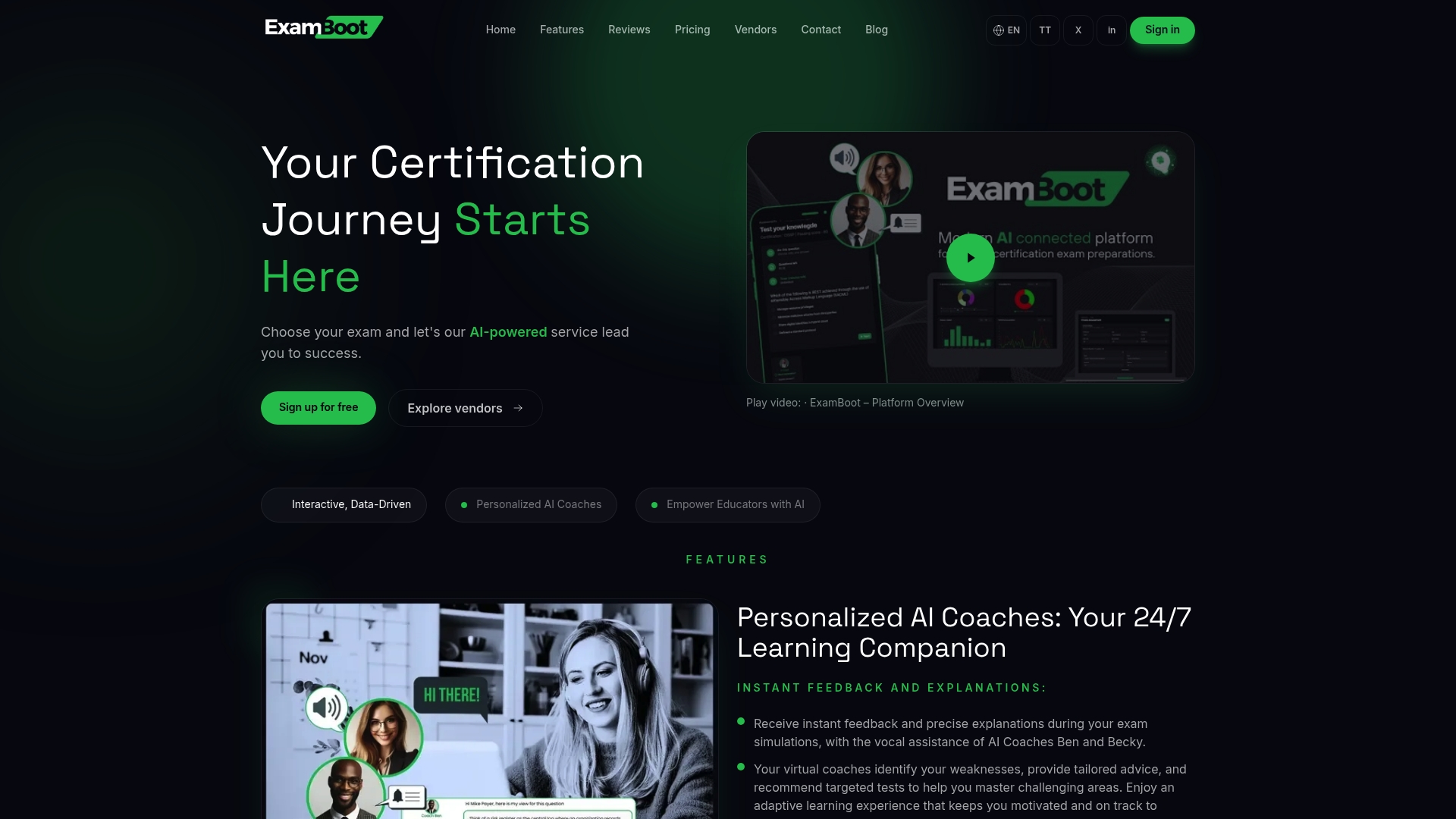
If you are preparing for a professional certification, Examboot's AI-powered platform pairs the active-recall principles covered here with a question bank built specifically for the exams you are taking.
Key Takeaways
ChatGPT works best as a study partner that forces retrieval and reflection, not as a tool that hands you finished answers.
| Point | Details |
|---|---|
| Free access in Canada | Study Mode is available on the free plan; eligible students can get free ChatGPT Plus months via SheerID. |
| Disclose AI use | UofT, UBC, McGill, and Waterloo all require students to cite ChatGPT in submitted work. |
| Three-loop method | Explain, quiz, then build flashcards only from wrong answers for active recall and spaced repetition. |
| Prompt with role and context | Assigning a tutor role and specifying your level produces far more useful responses than open-ended questions. |
| Verify all facts | ChatGPT can fabricate citations and misstate equations; always cross-check against your course materials. |